USB Communication
USB is the most straightforward way to connect a single PULSAR actuator during development or testing.
Safety
Before connecting or commanding a real actuator, ensure it is securely mounted and powered on as described in Set Up Real Actuators.
Connect the actuator
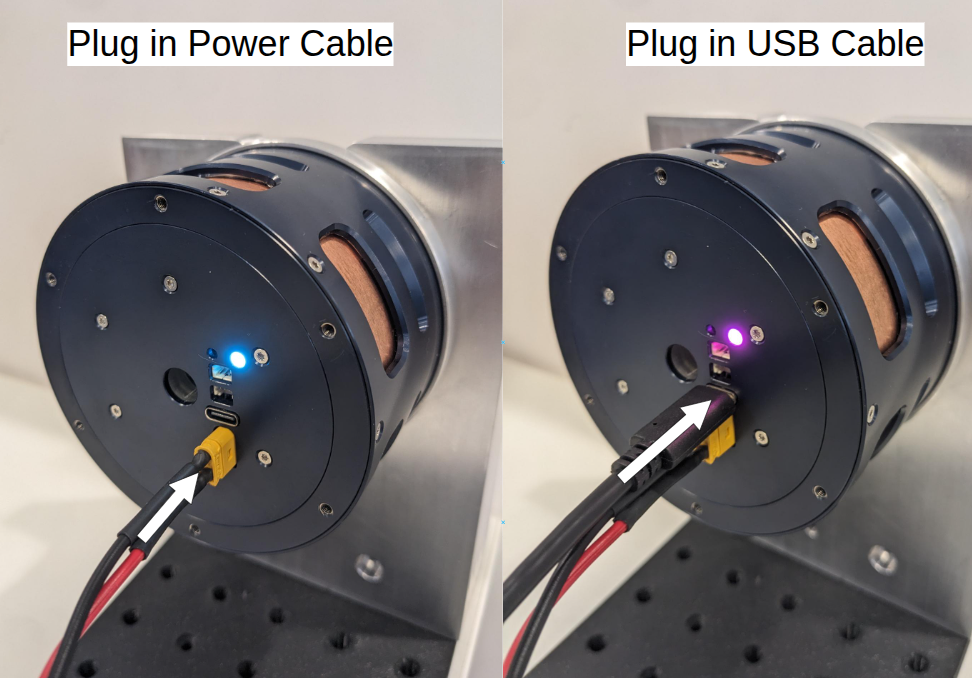
- Use a USB-A to USB-C cable to connect the actuator directly to your computer.
- Confirm that the actuator LED changes color when the USB connection is established.
Verify communication
Open the PULSAR App GUI, or use the Python API CLI tool, and confirm that your actuator is listed.
For the fastest complete setup, follow the USB setup quickstart. You can also continue with the Python API quickstart.